Articles
Sharing your Device with your Water Delivery Company
Oct 20, 2026
To share your PTLevel with your Water Delivery Company, simply log into your device and follow these directions: 1. Click "Features" (to access more options on your level) and then click "Share" 2. Under the Share tab, click the blue "Share" button ...
To share your PTLevel with your Water Delivery Company, simply log into your device and follow these directions:
1. Click "Features" (to access more options on your level) and then click "Share"
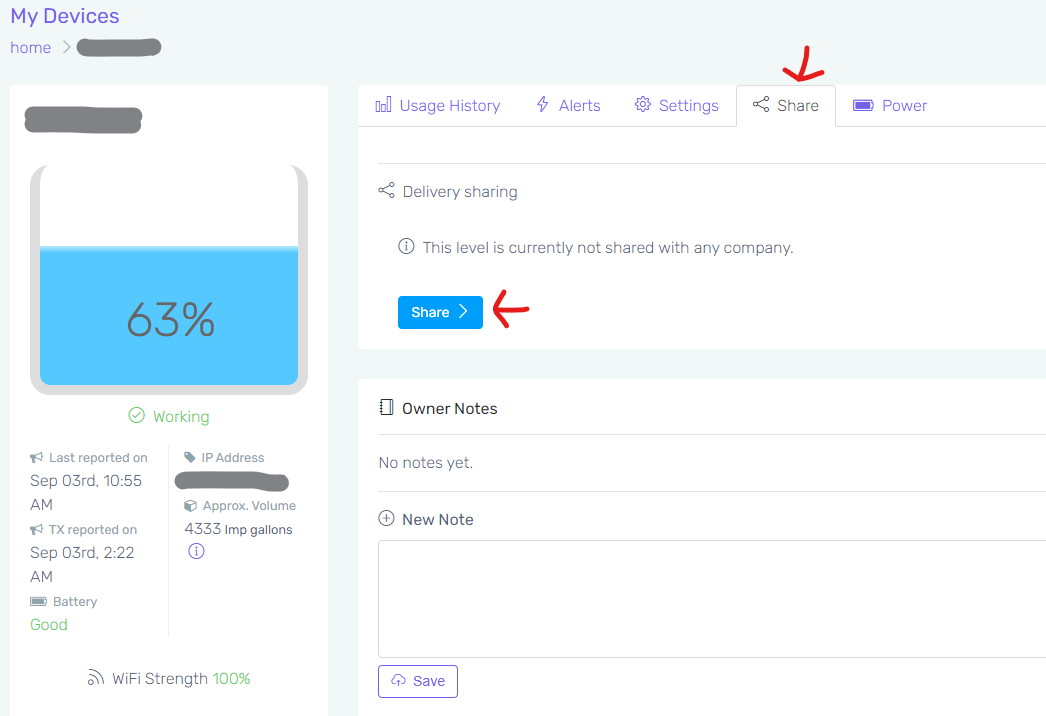
2. Under the Share tab, click the blue "Share" button
3. This will bring you to a list of Delivery Companies that are closest to you. If you don't see your regular Delivery Company, they may not be signed up yet! It is free for them to sign up, so please encourage them to join the list so other PTLevel Device owners can find them too. They can get more information here: https://support.paremtech.com/portal/en/kb/articles/customer-manager-account-system
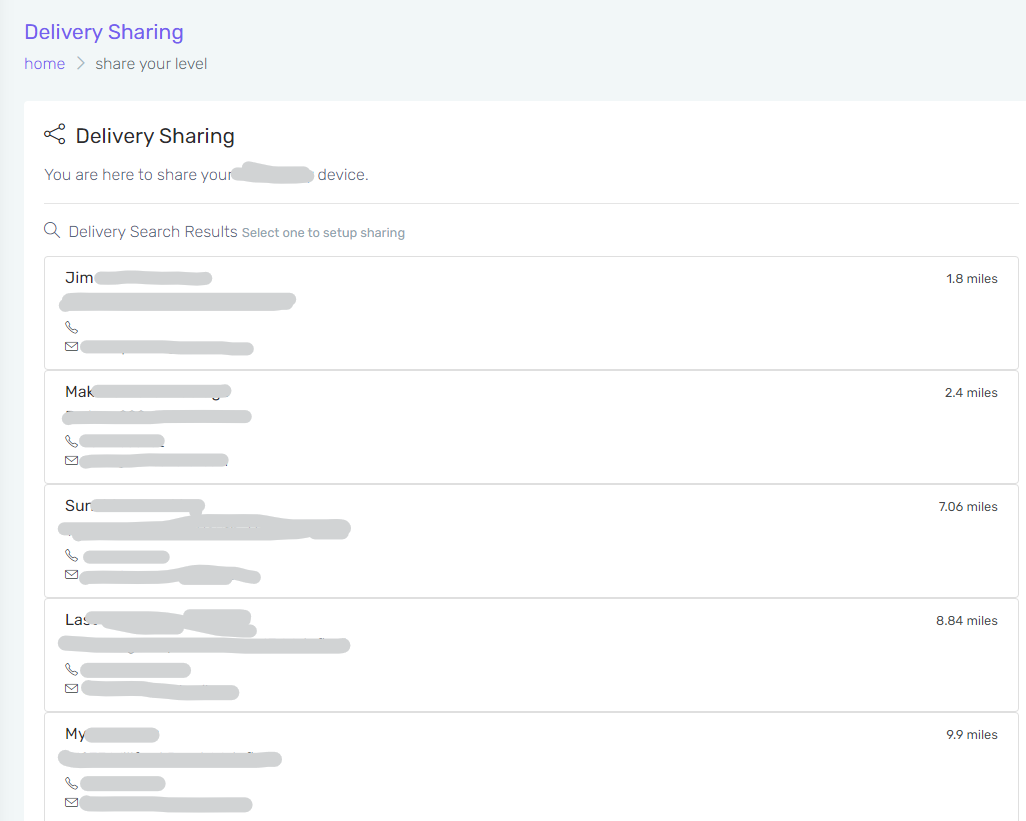
4. Just select the Company you wish to share with and follow the prompts. And that's it!