Articles
Setting Up Your Account's Timezone
Oct 20, 2026
Are you wondering why the dates and times are different in your account? Here we’ll show you how to fix that by changing your account’s timezone to the right one. Visit www.ptdevices.com and log into your account. Once you’re in your account, go to ...
Are you wondering why the dates and times are different in your account? Here we’ll show you how to fix that by changing your account’s timezone to the right one.
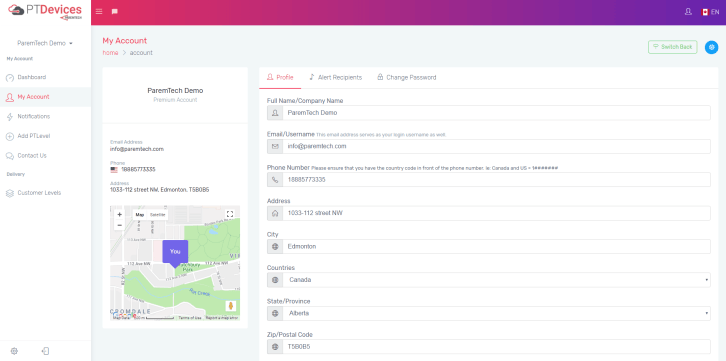
Visit www.ptdevices.com and log into your account. Once you’re in your account, go to “My Account” from in the menu.
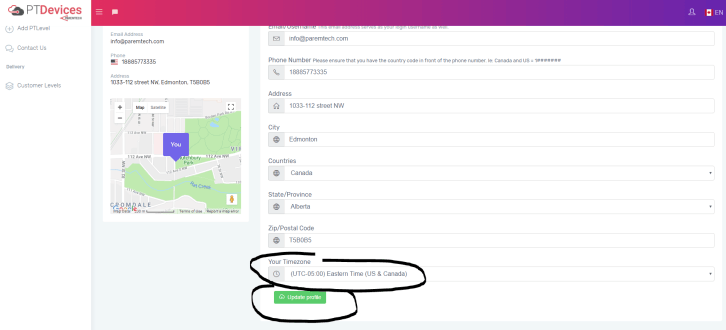
Scroll down to the bottom of the My Account page to find the timezone setting. Select your timezone and perhaps complete the rest of your profile as well. There are many benefits to filling out the profile. Then click on the “Update profile” green button at the bottom to save the setup. That’s it!