Articles
Wired Device Not Connected
Oct 20, 2026
In this article, we will go over how to troubleshoot the PTLevel Wired device when it shows “Not Connected” in your account. TROUBLESHOOTING CONNECTIONSTo top Below are steps we suggest that you can go through to troubleshoot your device. Check your ...
In this article, we will go over how to troubleshoot the PTLevel Wired device when it shows “Not Connected” in your account.
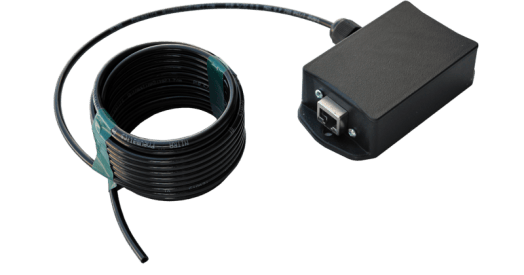
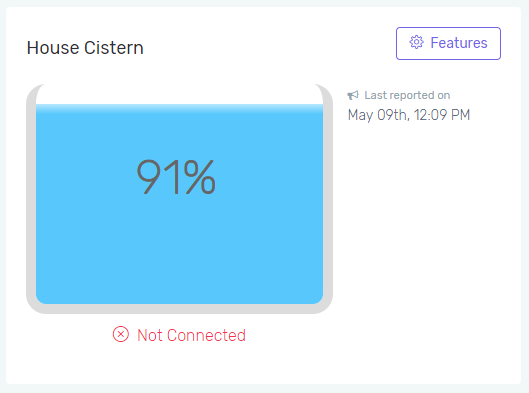
TROUBLESHOOTING CONNECTIONS
To topBelow are steps we suggest that you can go through to troubleshoot your device.
- Check your internet connection. If your internet is not working, the device will not be able to send data to our servers.
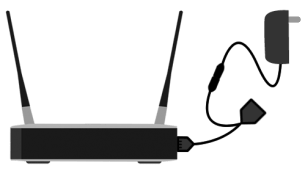
- Check the power to the device. There is a power supply that should be plugged into your house power. The other end of that power supply should be plugged into the PTLevel power splitter. See the image below:
- Check all of the Ethernet connections to make sure that they are connected well and that there is no corrosion that might affect the connection quality.
- This check is optional but recommended. If you have a laptop with an Ethernet connection, try connecting the laptop to the Ethernet connection that would normally be connected to the PTLevel device. Turn off the laptop WiFi and check to see if you still have a network or internet connection on the laptop. If you do, then your cables are good and you just need to verify the power and device functionality. If you don’t you may need to put new Ethernet ends on, replace the cable, or replace the power splitter. Contact us if you need another power splitter.
- If you are using a WiFi repeater (like a Comfast) to extend your Ethernet connection, you need to verify that the repeater is connected and working. The step above helps a lot in troubleshooting this. See the setup instructions of a Comfast: https://ptlevel.com/kb/comfast-setup/
VERIFYING FUNCTIONALITY
To topThere are a few ways to verify the functionality of the PTLevel Wired.
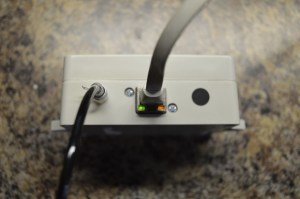
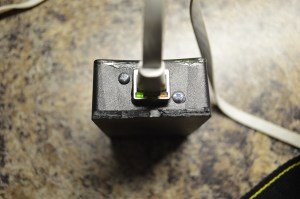
- There are Ethernet status LED’s on the PTLevel device right under where the Ethernet cable is plugged in. One is an orange connection status and the other is a green communication status LED. The orange LED should be on constantly, and the green LED should flash once in a while which indicates that the device is sending out packets to our servers.
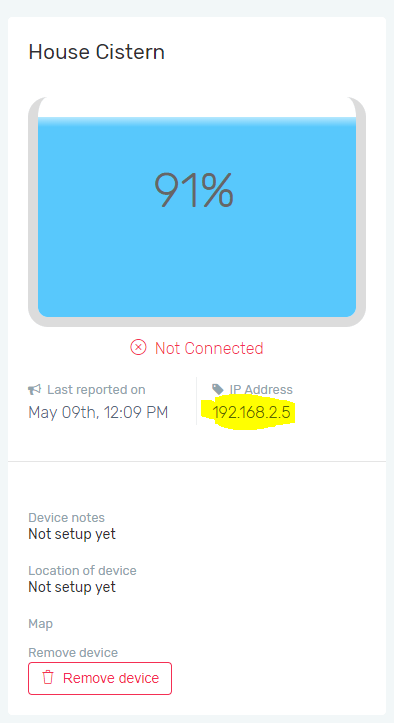
- Another way to verify functionality is to access the device’s built in webserver on your local network. The only thing you need to know in order to do this is the device’s assigned IP address. You can get the IP address from your router under the DHCP client list or if your PTLevel had been working previously, you can get the IP address from your account online under the device Features:
 Then in a device that is connected to the same network, open a browser and type the IP address into the browser address bar. If your connections are good and your device is functioning, you should see this: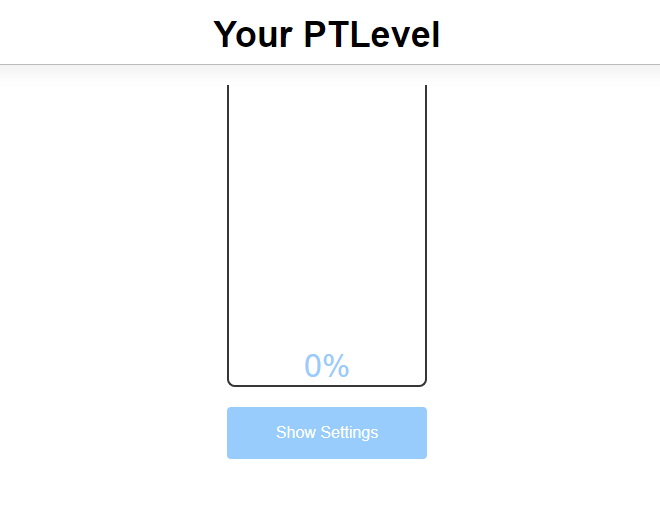
If you see the above, and it is still showing “Not Connected” in your account, your router is possibly blocking the packets getting sent you. Please see the router section below for more information on this.
ROUTER BLOCKING
To topIf you have verified that your router may be blocking the packets to our servers, you can setup port forwarding on your router. This is a more advanced step and we can’t go through the specific steps because there are too many different routers on the market.
- Select the device’s IP address or MAC address in the port forward list of your router.
- Choose UDP and port 10000 to allow the packets through.