Articles
Are you Moving?
Oct 20, 2026
If you own a PTLevel and are moving, this article is for you! It is divided into 2 options, taking the PTLevel with you to your new home OR leaving your PTLevel and transferring it to the new owners. 1. Taking your PTLevel with you Whether you have ...
If you own a PTLevel and are moving, this article is for you! It is divided into 2 options, taking the PTLevel with you to your new home OR leaving your PTLevel and transferring it to the new owners.
1. Taking your PTLevel with you
Whether you have the PTLevel Wireless or PTLevel WIFI, all of the steps to take the PTLevel with you are the same. The goal is to disconnect your WIFI at your current home and then reconnect it at your new home.
Step 1. Log into your PTLevel Account (ptdevices.com).
Step 2. Click on Dashboard
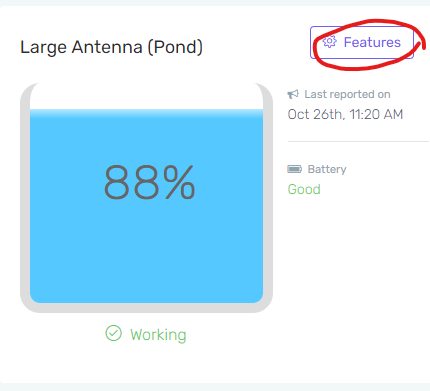
Step 3. Click on Features on the PTLevel you wish to take with you.
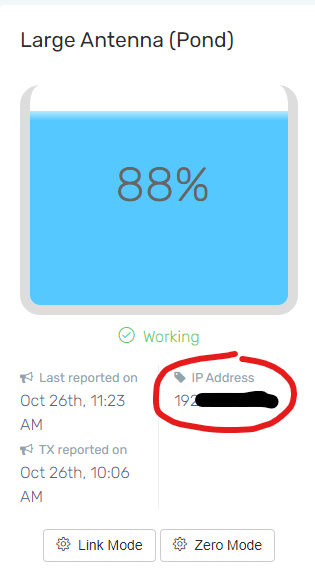
Step 4. Find the IP Address of your PTLevel. (This is located near the left of the screen below the chart)
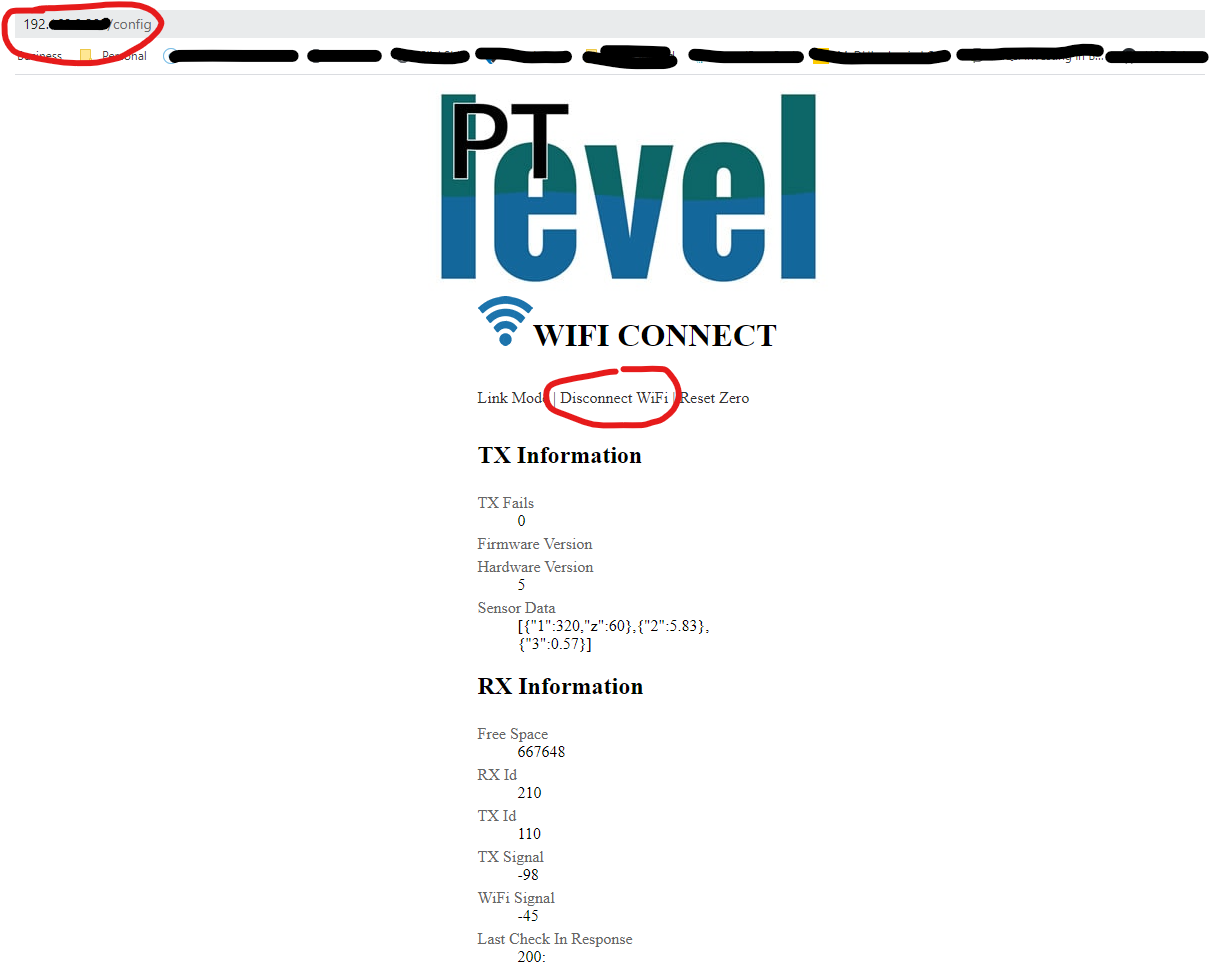
Step 5. Copy your IP address into a browser and type /config after it. This will bring you to a page where you can click disconnect wifi. Just click Disconnect WIFI. Once you are at your new house, just connect your WIFI like you did when you first got your device. (If you've forgotten, just follow the set up instructions found here WIRELESS and WIFI)
2. Leaving your PTLevel with new Owners
Whether you have the PTLevel Wireless or PTLevel WIFI, all of the steps to transfer the PTLevel to new owners are the same. The goal is to disconnect your WIFI at your current home and remove it from your account (so you no longer get alerts). The new owners will need to set up the PTLevel on their own internet/WIFI and create their own account.
Step 1. Log into your PTLevel Account (ptdevices.com).
Step 2. Click on Dashboard
Step 3. Click on Features on the PTLevel.
Step 4. Find the IP Address of your PTLevel. (This is located near the left of the screen below the chart)
Step 5. Copy your IP address into a browser and type /config after it. This will bring you to a page where you can click disconnect WIFI. Just click Disconnect WIFI.
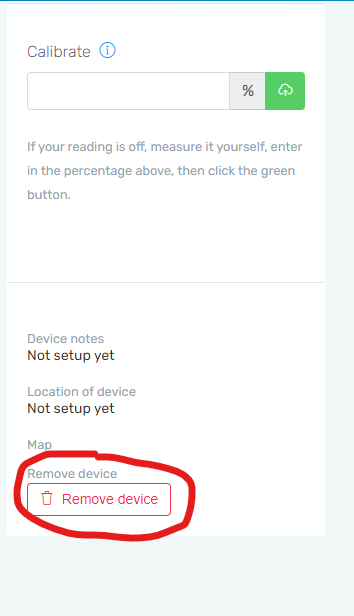
Step 6. You will want to remove your PTLevel from your account to prevent any further alerts. On that same page where you found the IP Address, if you scroll down you will find a button where it says "Remove Device", just click that and confirm and you are all set! The new owners of the device will need to Set up the device on their new internet/WIFI and create an account. They can find instructions for that and everything they need on our website under Support.
That's it! We wish you good luck with your move!