Articles
Online Connecting Taking Too Long (or not at all)
Oct 20, 2026
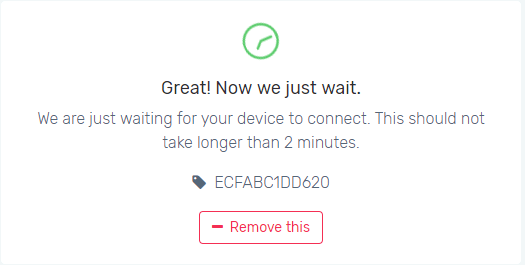
Do you see the “Great! Now we just wait.” message but have waited a long time already? TROUBLESHOOTING STEPSTo top The first question to ask is, did you connect your PTLevel receiver to your home WiFi? You must first connect your PTLevel to your ...
TROUBLESHOOTING STEPS
To topThe first question to ask is, did you connect your PTLevel receiver to your home WiFi?
You must first connect your PTLevel to your home WiFi. Please see your product instructions or another connection article online to proceed with this step. Ensure your device is connected properly to your WiFi before troubleshooting further. Check this article on what the RX status lights mean to indicate a proper connection:
If you have, does that WiFi have an internet connection?
The network you’re using must have an internet connection for this device to work properly.
If there is an internet connection, why is it still not connecting?
If your WiFi has a first connect agreement, ie. it is a public access WiFi, our device will not be able to use the internet connection on your WiFi. You must allow the device on that network through the router or use a different internet connection. Another reason would be due to the router blocking any new device connections. Just refer to your router manual for details on how to allow a new device. If that still isn’t the case, contact us to troubleshoot further.